 DriftStop
Drift less.
Without being policed.
DriftStop is a calm focus buddy for your Mac, powered by local AI. It knows what you meant to work on, notices when you wander off, and nudges you back. Kindly, and a little firmer only if you keep going.
Free early access for Apple silicon Macs. We only email you about DriftStop.
Your brain is not the problem.
Your tools just don't notice you.
Autopilot tabs
You opened x.com "for a second". Forty minutes later you are still scrolling and the report is still blank.
Five projects, zero progress
Everything feels urgent, so you hop between all of them and finish none. One quietly rots at the bottom.
Blockers you switch off
Hard blockers feel like a jail. The first time you really need a site, you disable them, and they never come back.
For people with more ideas than hours.
If you start ten things and wish you had finished three, DriftStop is for you.

Idea machines
A new idea every hour, a new tab for each one. You need a nudge back to the one you picked today.

Side hustlers
A day job plus a project that could be more. Two focused hours in the evening beat four scattered ones.

Multi-project jugglers
Founders, freelancers and makers with several things in flight. See which one gets your time and which one is starving.

Autopilot scrollers
You open x.com or YouTube without deciding to. A short pause turns the reflex back into a choice.

Deep-work seekers
Writers, students and researchers who need long stretches on one thing and a quiet guard around them.

Not for bosses
DriftStop is not employee monitoring. It works for you, keeps everything on your Mac and reports to no one.
Pick your work. DriftStop keeps you near it.
No timers to babysit, no tasks to tick off every ten minutes. It watches context, not keystrokes.
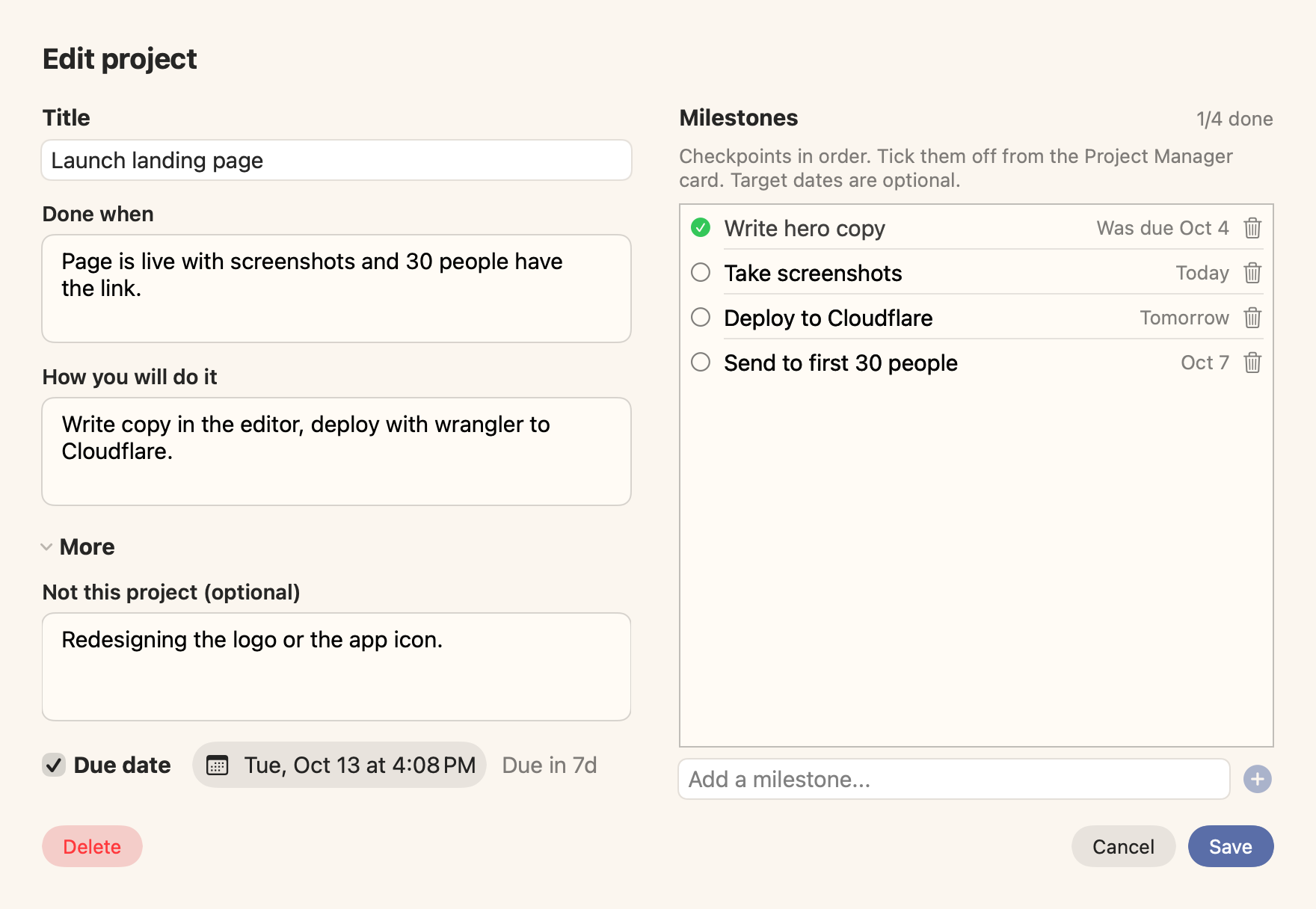
Choose a few projects
Write what "done" looks like and add a few milestones. That is the whole setup.
Local AI notices drift
A small AI model running right on your Mac reads the window in front and checks whether it belongs to one of your projects.
A gentle nudge back
First a quiet note. If you keep drifting, a friendly full-screen reminder of what you actually wanted to do today.
See where your day actually went.
Keep a few projects active, each with milestones and target dates. DriftStop infers which one you are on from the app and window you use.
- Time per project, tracked for you
- Gamified progress: milestone bars and a daily on-task score
- A heads-up when one project gets no love
- An overload nudge when you juggle too many
- Focus mode: pick one card, everything else dims
A speed bump, not a wall.
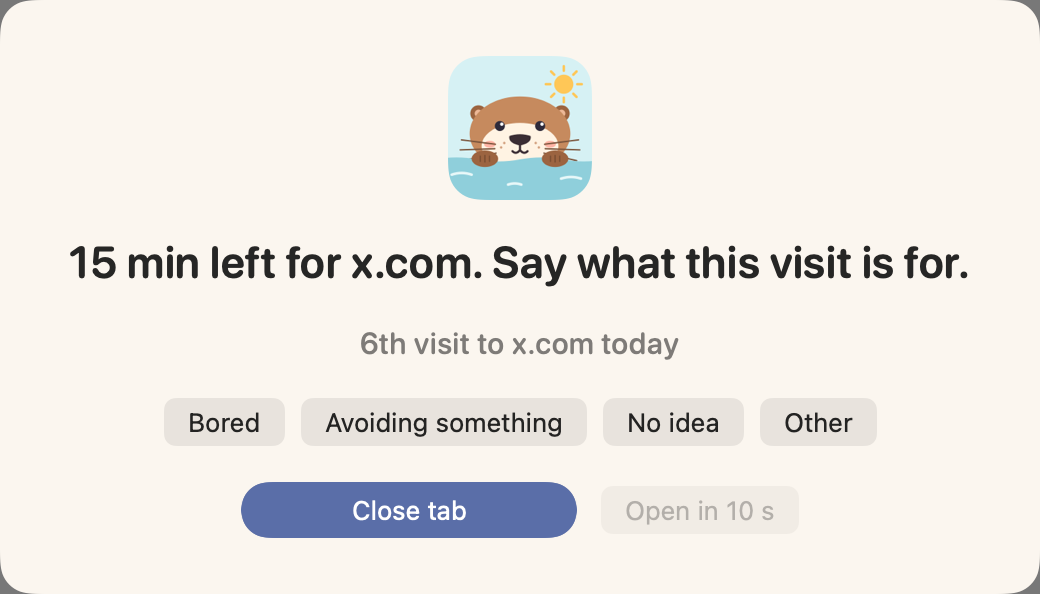
Distracting sites stay open to you. DriftStop just makes every visit a conscious one, and steps up slowly only if you keep going.
- Step 1A short pause: why are you here? "3rd visit today" keeps you honest.
- Step 2Halfway through your daily budget, a quiet check-in.
- Step 3Budget used: video pauses. Type a phrase if you truly need more.
- Step 4A full-screen reminder of your projects and next milestones.
- Step 5The tab closes and the site takes a short break.

Built for brains that wander.
Tick off milestones, watch your on-task score climb and see your longest focus streak at the end of the day. No red warnings, no shame, no leaderboard. When you drift, DriftStop shows you what you picked for today and lets you choose again. Most days that is all it takes.
Your screen stays on your Mac. Period.
An app that watches your screen has to earn trust. So the AI is local: it runs on your Mac, and there is nothing to sign up for.

Local AI
The model is a one-time download and runs on your Mac, on-device. Screen text, window titles and sounds are never uploaded anywhere.

No account, no identifiers
No sign-up, no email, no device ID, no user ID. There is nothing to link your activity to you.

No telemetry
DriftStop doesn't phone home. No usage tracking, no analytics, no crash reports. The only download is the AI model, when you choose it.

Works without AI too
Skip the download. Site Guard and projects still work. Add the AI later from Settings.

Your history, your files
Everything DriftStop records lives in one folder on your Mac. Nothing is synced. Clear it from Settings whenever you like.

Encrypted vault
Your history is stored in encrypted databases whose key lives in your Mac's Keychain, so other apps on your Mac can't read it. Viewing it needs Touch ID or your password.
Questions, answered
Is DriftStop a website blocker?
No. A blocker stops all access to a site, so most people turn it off after some time. DriftStop does not block a site. It asks why you open the site. If you continue, the reminders become stronger in steps. You always have control.
Does DriftStop watch my screen?
DriftStop reads only the window in front of you, and it does this on your Mac. It compares the window with your projects. It does not send screen data to a server or to a cloud AI. It does not keep screenshots.
Is my data safe?
Yes. Your history stays on your Mac. DriftStop encrypts the history and keeps the key in the Keychain of your Mac. Other apps cannot read the history. To open it, you must use Touch ID or your password.
Which Macs can use DriftStop?
You need a Mac with Apple silicon (M1 or newer) and macOS 15.5 or later. The local AI is a 2.3 GB download. You download it one time. The AI is optional. Without it, Site Guard and projects continue to work.
Why does DriftStop need Screen Recording and Accessibility permissions?
DriftStop uses these permissions to find the app and the page that you use. Without them, it cannot find drift. During setup, DriftStop explains each permission before macOS asks for it.
Is DriftStop free?
Yes, during the beta. If this changes, we will tell you before the change.
Pick your work. We'll keep you near it.
Get early access and help shape it. Every reply is read by the founder.